

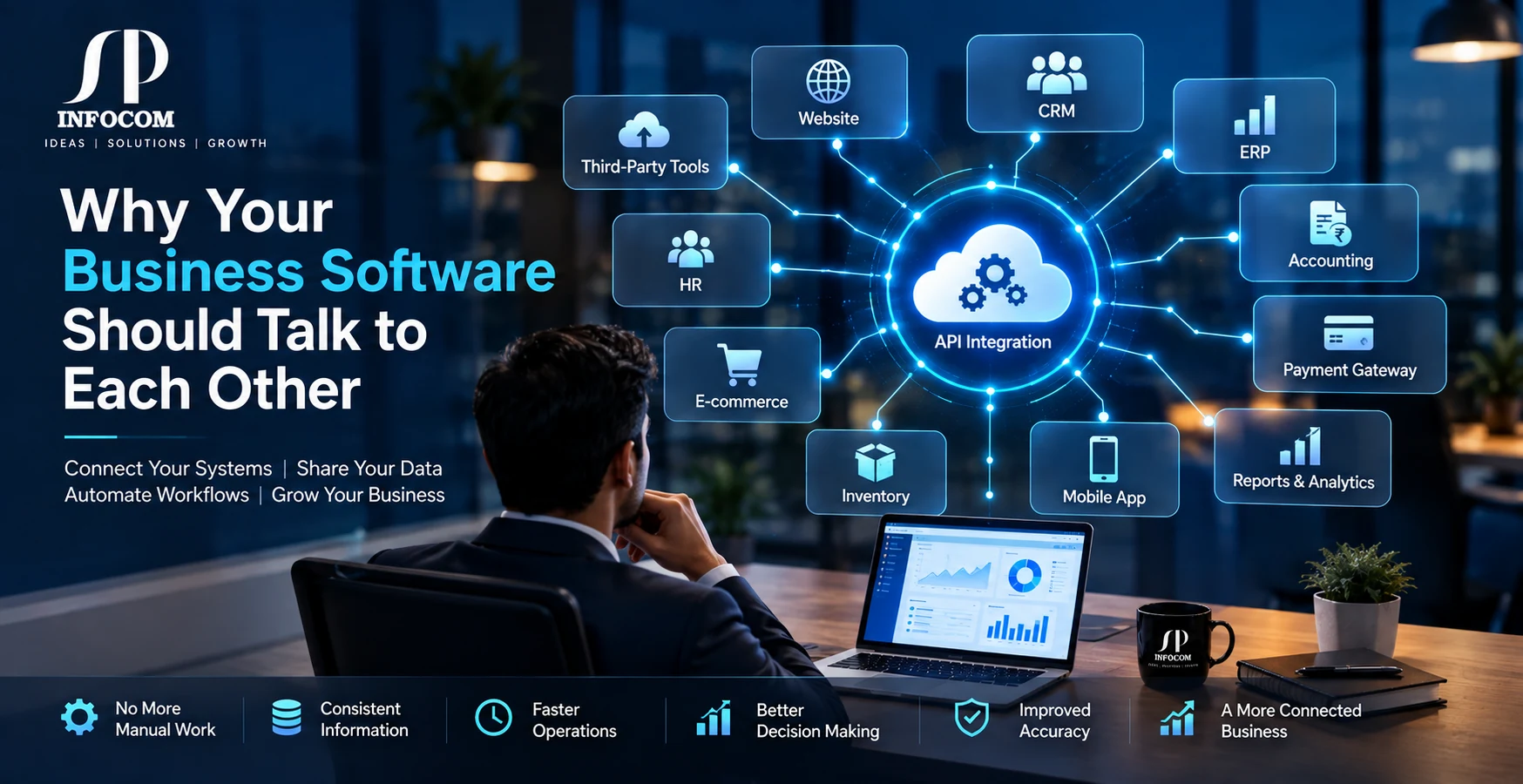
Modern businesses rarely depend on just one software application. A company may use a website to generate enquiries, a CRM to manage customers, an ERP to manage operations, an e-commerce platform to process orders, a payment gateway to collect payments, accounting software to manage finances, and mobile applications to serve customers or employees.
Each system may work perfectly on its own. The real problem begins when these systems cannot communicate with each other.
Employees may have to enter the same information into multiple systems. Sales teams may not have access to the latest order information. Inventory data may not match the website. Finance teams may wait for transaction details. Management may have to combine reports manually.
Your software should not work like separate islands. Your business systems should work together.
What Is Business Software Integration?
Business software integration means connecting different applications and systems so they can exchange information and work together as part of a connected business environment.
Instead of employees manually moving information from one application to another, integrated systems can exchange relevant data automatically through APIs, web services, middleware, databases, or other integration technologies.
For example, when a customer places an order on an e-commerce website, the order information could automatically move to the ERP system, update inventory, trigger payment processing, create an accounting entry, and become visible to the customer service team.
The objective is simple: make information flow between systems without unnecessary manual work.
1. Your Website Should Connect With Your Business Systems
A business website is no longer only a digital brochure. Modern websites often generate leads, collect customer information, accept orders, process payments, provide account access, and communicate with internal business systems.
When a website is connected to the right business applications, information can move automatically to the teams responsible for handling it.
- Website enquiries can move directly into the CRM
- Customer registrations can synchronize with business systems
- Orders can be sent to ERP or order management systems
- Payment responses can update order status
- Customer information can be shared with authorized applications
2. Connect Your CRM With Your ERP
CRM and ERP systems serve different purposes, but they often need to work with the same business information.
The CRM may contain customer information, enquiries, sales opportunities, follow-ups, and communication history. The ERP may manage inventory, orders, production, billing, purchasing, finance, or operations.
When these systems are connected, sales and operations teams can work with more consistent information instead of maintaining separate records.
- Customer information synchronization
- Sales order synchronization
- Product and pricing information
- Customer order status
- Business reporting and dashboards
3. Connect E-Commerce With Inventory
Inventory accuracy becomes increasingly important when businesses sell through websites, marketplaces, mobile applications, physical stores, or multiple sales channels.
If an e-commerce platform is not connected with the inventory system, employees may have to update stock manually. This can create delays and increase the possibility of incorrect stock information.
Integration can help synchronize product availability between connected systems so that sales, warehouse, and operations teams can work with more consistent information.
4. Payment Systems Should Communicate With Your Software
Online payments are another area where software integration can remove unnecessary manual work.
A payment gateway can provide transaction information to the business application through APIs or other supported integration methods. Your software can then process the payment response and update the relevant order, customer, or transaction record.
- Payment success and failure responses
- Transaction references
- Order status updates
- Automated payment reconciliation workflows
- Transaction reporting
5. Your Mobile App and Backend Should Work as One System
A mobile application is usually only one part of a larger technology environment. Behind the application there may be databases, APIs, authentication services, payment systems, CRM platforms, ERP software, notifications, and analytics.
A properly designed API layer allows the mobile application to communicate securely with backend systems and retrieve or submit the information required by the business.
This approach is useful for customer applications, employee applications, delivery platforms, field-service applications, education platforms, healthcare applications, and many other business solutions.
6. APIs Are the Communication Layer Between Applications
APIs, or Application Programming Interfaces, allow different software systems to communicate with each other in a defined and controlled way.
For example, a CRM may expose an API that allows another application to create or retrieve customer information. An accounting platform may provide APIs for invoices and transactions. An e-commerce platform may provide APIs for products, orders, customers, and inventory.
APIs therefore become an important building block for modern software integration.
- Secure authentication
- Data validation
- Request and response handling
- Error handling
- Logging and monitoring
7. When APIs Are Not Enough, Middleware Can Connect the Systems
Not every integration is as simple as connecting one API directly to another. Businesses often have different systems with different data structures, authentication methods, business rules, and workflows.
This is where middleware can become useful.
Middleware acts as a communication and processing layer between applications. It can receive information from one system, validate or transform the data, apply business rules, and send the appropriate information to another system.
This approach can be particularly useful when a business needs to connect existing software with third-party platforms without completely replacing its current applications.
8. Integration Can Reduce Duplicate Data Entry
One of the most visible benefits of software integration is reducing repetitive data entry.
Imagine a sales employee receiving an order and then entering the same customer and order information into three different applications. Apart from consuming employee time, every additional manual entry creates another opportunity for a mistake.
With properly designed integration, information can be entered once and shared with authorized systems that require it.
- Less repetitive data entry
- Fewer manual data transfers
- Faster business processes
- Better information consistency
- More time for employees to focus on important tasks
9. Integration Creates a More Connected View of the Business
Business leaders often need information from multiple departments before making decisions. Sales information alone may not be enough. Management may also need inventory, finance, customer, production, or operational information.
When business applications can exchange information, organizations can build dashboards and reports using data from multiple systems.
This can help management understand what is happening across different parts of the organization without depending entirely on manually prepared reports.
10. You Do Not Always Need to Replace Your Existing Software
One common misconception is that businesses must replace their existing software whenever they want to modernize their technology environment.
In many situations, integration can be a practical alternative.
If an existing ERP, CRM, accounting application, e-commerce platform, or custom business application is still useful, it may be possible to connect it with newer systems through APIs, middleware, web services, or custom integration solutions.
This allows businesses to modernize their technology environment step by step instead of changing everything at the same time.
How to Plan a Successful Software Integration
Successful integration starts with understanding the business process rather than simply connecting two applications.
Before development begins, businesses should identify which systems need to communicate, what information needs to move between them, when it should move, and what should happen when something goes wrong.
- Identify all systems involved
- Map the existing business workflow
- Identify the data that needs to be exchanged
- Check available APIs and integration methods
- Define authentication and security requirements
- Define error handling and retry processes
- Plan logging and monitoring
- Test the complete workflow before deployment
Integration Should Be Secure and Scalable
Connecting systems is not simply about making data move from one application to another. Integration architecture should also consider security, reliability, scalability, performance, monitoring, and future business requirements.
As a business grows, the number of applications and integrations can also increase. A solution that works for two systems today may eventually need to support multiple applications, locations, departments, users, and third-party services.
Designing the integration architecture with future requirements in mind can make it easier to add new systems without rebuilding the entire environment.
From Separate Applications to One Connected Ecosystem
The real value of software integration is not simply connecting applications. It is creating a technology environment where information can move through the business in a controlled, reliable, and meaningful way.
Your website can communicate with your CRM. Your CRM can communicate with your ERP. Your ERP can connect with inventory and accounting. Your mobile application can communicate with backend services. Payment platforms can send transaction information to business applications. Third-party systems can be connected through APIs or middleware.
Instead of having multiple disconnected applications, businesses can build a connected digital ecosystem around their existing technology.
Final Thoughts
Businesses invest in different software systems to solve different problems. The challenge begins when those systems cannot communicate effectively with each other.
Software integration can help connect websites, CRM systems, ERP platforms, e-commerce applications, payment gateways, accounting systems, mobile apps, and third-party services into a more connected business environment.
The right integration strategy can reduce repetitive work, improve information flow, support better visibility, and help businesses get more value from the software they already use.
At SP Infocom, we help businesses design and develop connected software solutions using custom software development, API integration, middleware, ERP, CRM, web applications, mobile applications, and cloud technologies. Whether you need to connect existing systems or build a new integrated business platform, the integration approach can be designed around your specific business processes and technology environment.