

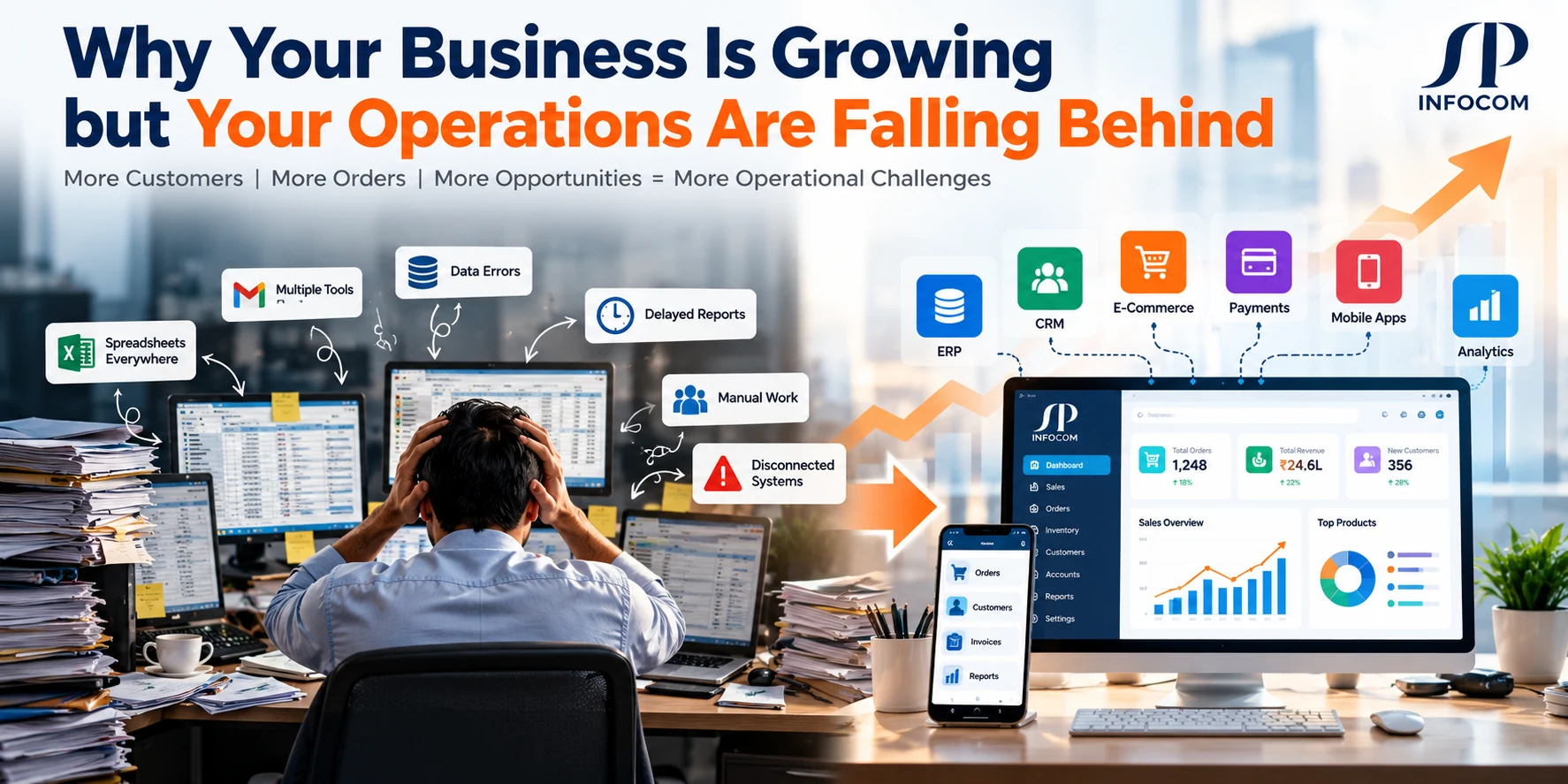
Business growth is a positive sign. More customers, more orders, more employees and new opportunities indicate that your business is moving forward. But growth also brings operational complexity. Processes that worked well when your team was small can become slow, difficult to manage and increasingly dependent on manual work.
You may notice employees maintaining multiple spreadsheets, managers waiting for reports, orders getting delayed, inventory records becoming inconsistent and departments working with different versions of the same information. These problems are not always caused by a lack of effort. Often, the systems supporting the business have not evolved with it.
The solution is not necessarily to hire more people or add more software. Businesses need the right combination of process improvement, automation, connected systems and reliable reporting to manage growth efficiently.
Growth Should Create Opportunities, Not Operational Chaos
When business processes and technology grow together, teams can handle more work with better visibility, fewer repetitive tasks and greater control over daily operations.
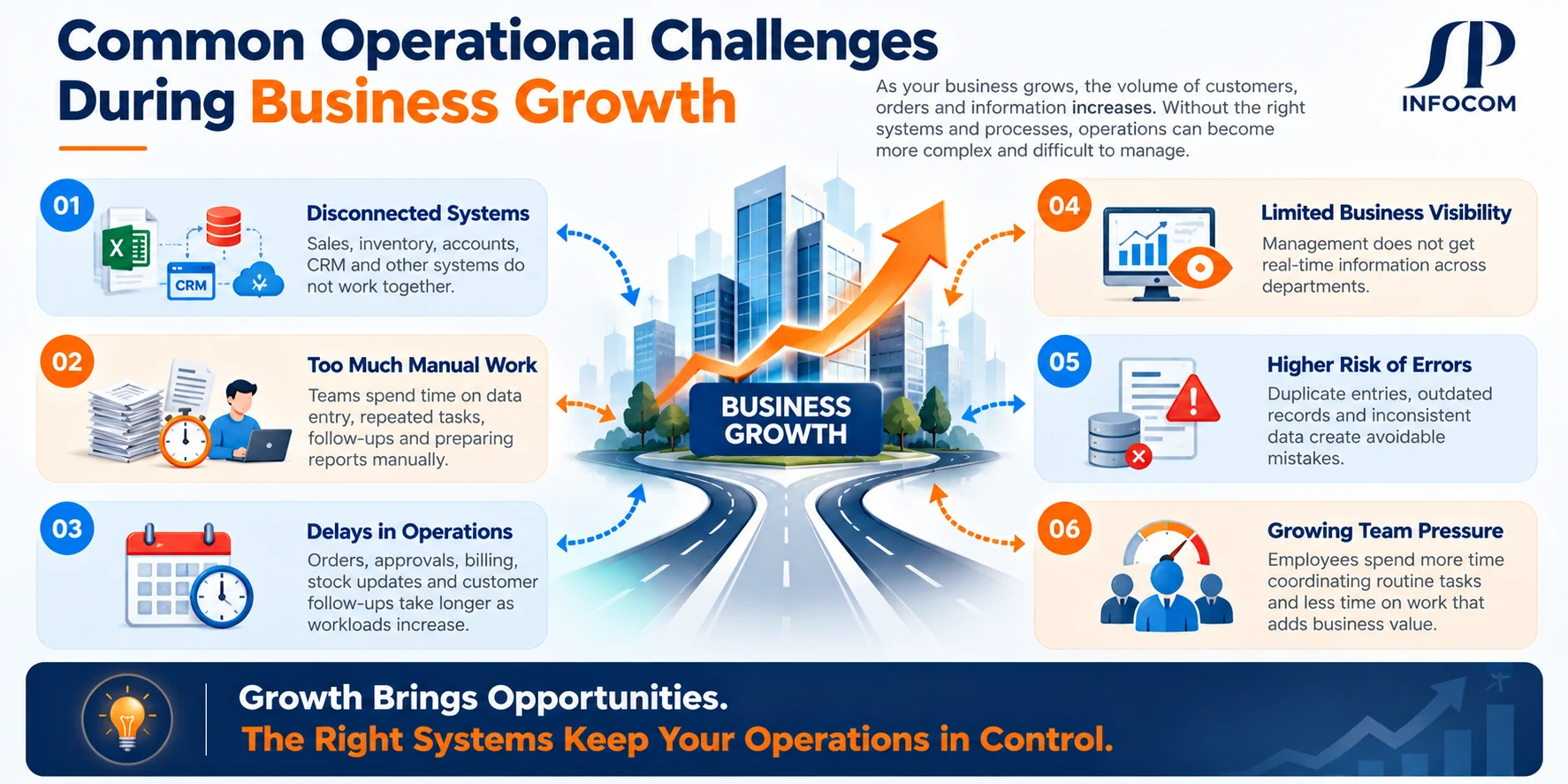
Operational Problems That Often Appear During Business Growth
As a business expands, the volume of transactions, information and coordination increases. Without suitable processes and systems, common operational problems can begin to affect productivity and customer experience.
Disconnected Systems
Sales, accounts, inventory and customer information sit in separate applications that do not communicate effectively.
Too Much Manual Work
Employees repeatedly enter data, update spreadsheets, send reminders and prepare reports manually.
Delays in Operations
Orders, approvals, billing, stock updates and customer follow-ups take longer as workloads increase.
Limited Business Visibility
Management cannot easily access current information about sales, expenses, inventory and performance.
Higher Risk of Errors
Duplicate entries, outdated records and inconsistent data create avoidable mistakes and rework.
Growing Team Pressure
Employees spend more time coordinating routine tasks and less time on work that adds business value.
Why the Systems That Worked Earlier May Not Work Now
In the early stages of a business, a small team can manage many activities through direct communication, spreadsheets and a few basic applications. As order volumes, departments, branches and customer expectations increase, the same approach becomes harder to maintain.
For example, a sales employee may record an order in a spreadsheet, send its details to accounts by email and message the warehouse to confirm stock. Each step depends on someone remembering to update the next person. If one update is missed, the business may experience delays or inaccurate information.
This is where process automation and software integration can make a practical difference. Instead of relying entirely on manual coordination, the business can establish connected workflows in which information moves between the relevant systems and teams.
How Operational Complexity Builds Up
How Business Software Helps You Manage Growth
The right software strategy helps businesses standardize workflows, reduce repetitive tasks and make information easier to access. The objective is not to automate everything immediately. It is to identify the operational bottlenecks that affect your business most and address them in a structured way.
Automate Repetitive Processes
Reduce routine manual tasks through automated workflows for orders, approvals, notifications, billing and follow-ups.
- Automated task assignments
- Approval and notification workflows
- Scheduled reports and reminders
Connect Business Systems
Connect applications so that teams can work with consistent information instead of maintaining disconnected records.
- ERP and CRM integration
- Website and e-commerce integration
- Accounting and payment integration
Improve Reporting and Visibility
Give decision-makers a clearer view of business performance through centralized data, dashboards and timely reports.
- Sales and revenue reports
- Inventory and order visibility
- Operational performance tracking
Prepare for Future Growth
Build or configure systems around business requirements so they can support additional users, workflows and locations.
- Role-based access and permissions
- Scalable application architecture
- Flexible modules and integrations
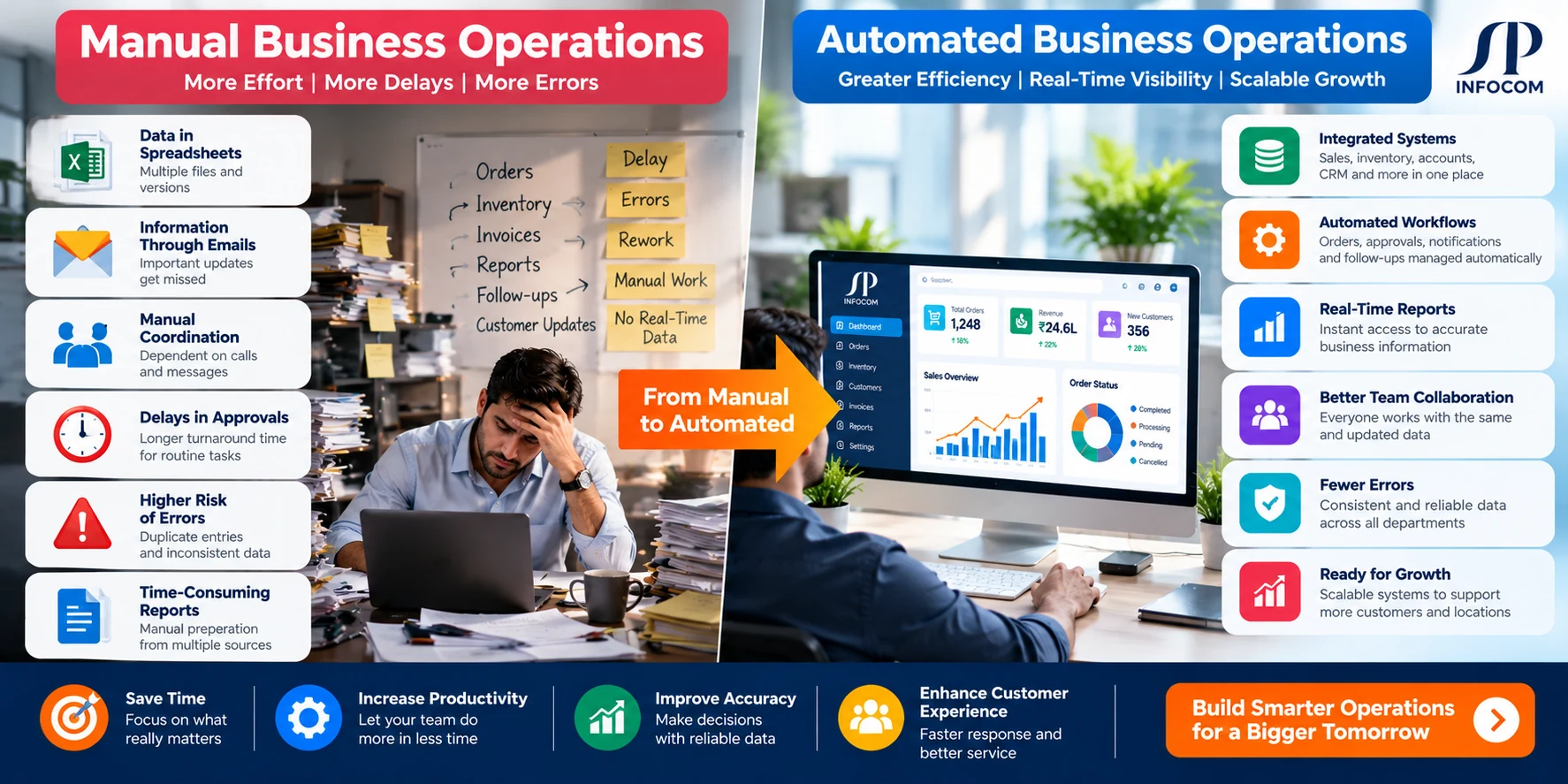
Before vs After: The Impact of Connected Business Operations
A connected software environment can help replace fragmented manual work with more consistent processes. The exact improvements depend on the business, its existing systems and how the solution is implemented.
| Business Area | Manual or Disconnected Process | Connected Software Approach |
|---|---|---|
| Order Management | Order details are shared through emails and separate spreadsheets. | Orders can flow through connected systems with clearer status tracking. |
| Inventory | Stock is updated manually in separate records. | Integrated inventory workflows can keep relevant systems synchronized. |
| Customer Management | Customer details are spread across files and applications. | Connected CRM and business systems can provide a more consistent customer view. |
| Billing and Payments | Invoices, payment updates and reconciliation require manual coordination. | Integrated workflows can connect billing, payment status and accounting records. |
| Reporting | Employees compile reports from multiple sources. | Centralized dashboards can make business information easier to review. |
| Team Collaboration | Updates depend on emails, calls and individual follow-ups. | Shared workflows and notifications can improve coordination. |
Does Your Business Need ERP, CRM, Automation or Custom Software?
Different operational problems require different solutions. Choosing software before understanding the problem can lead to unnecessary complexity and additional costs. Start by identifying where work slows down, which information is missing and which systems need to communicate.
ERP Software
Consider ERP when finance, inventory, purchasing, operations or other core business functions need better coordination.
CRM Software
Consider CRM when enquiries, customer information, sales pipelines and follow-ups are difficult to manage consistently.
Workflow Automation
Consider automation when repetitive tasks, approvals, reminders and manual data handling consume too much time.
System Integration
Consider integration when existing applications need to exchange data and work together more reliably.
Custom Software
Consider custom development when standard products cannot adequately support your business-specific workflows.
Business Dashboards
Consider dashboards when management needs a consolidated view of key operational and business performance indicators.
Practical Example: From Order Delays to Connected Operations
Imagine a growing distributor receiving orders through its website, sales representatives and telephone enquiries. The sales team records orders in one system, the warehouse tracks inventory separately and accounts prepares invoices using another application.
As order volume increases, employees may spend more time checking stock, confirming order details, updating records and asking other departments for status updates. Customers may also have to wait longer for accurate information.
A suitable solution could connect order management, inventory, invoicing and customer communication. Depending on the existing technology, this might involve configuring an ERP, integrating current applications through APIs, automating selected workflows or developing custom modules.
The goal is to reduce unnecessary manual handoffs and give each team access to the information it needs. A careful assessment should determine which processes to improve first and how to measure the results.
How to Fix Operational Problems Without Replacing Everything
A business does not always need to replace its entire technology environment to improve operations. Existing software may already handle important functions effectively. The challenge may be that applications are disconnected, workflows are inconsistent or reporting is too dependent on manual effort.
- Map your current business processes and identify delays.
- Review the software already in use and what it does well.
- Identify repetitive tasks suitable for automation.
- Check whether APIs or existing integrations can connect your systems.
- Develop custom modules only where genuine gaps remain.
- Measure results and improve the workflow in stages.
Step-by-Step Roadmap to Scalable Operations
Improving operations works best when the business has a clear sequence of priorities. A phased approach helps teams focus on practical improvements before adding more technology.
What Should You Measure?
Software and automation should solve identifiable business problems. Before implementation, establish a baseline so you can evaluate whether the changes are helping.
- Time required to process an order or complete an approval.
- Frequency of data-entry mistakes and duplicate records.
- Time spent preparing reports and reconciling information.
- Order-processing delays and inventory discrepancies.
- Customer response times and unresolved enquiries.
- Adoption of new workflows by employees.
The relevant measures will vary by organization. Track the indicators that connect directly to the problem being addressed rather than relying on generic claims about productivity or return on investment.
Common Mistakes to Avoid When Scaling Business Operations
Technology Mistakes
- Buying software without mapping requirements.
- Adding applications without planning integrations.
- Building custom software without a defined scope.
- Ignoring security, data access and maintenance.
Process Mistakes
- Automating an inefficient process without reviewing it.
- Ignoring employee training and adoption.
- Changing too many workflows at once.
- Failing to measure the outcome.
How SP Infocom Can Help
At SP Infocom, we help businesses address operational challenges through custom software development, business management solutions, application integration, mobile applications and cloud services.
The right approach depends on your existing systems and business requirements. It may involve improving a current application, connecting ERP and CRM platforms, automating repetitive workflows, creating a management dashboard or developing a custom solution for processes that standard software cannot adequately support.
- Custom Software Development
- ERP and Business Management Solutions
- CRM and Application Integration
- API and Middleware Development
- Workflow Automation
- Web and Mobile Application Development
- Cloud and DevOps Services
Final Thoughts
Business growth should not mean that every task becomes more complicated. When operations rely on disconnected systems, manual updates and unclear workflows, increasing demand can put additional pressure on employees and management.
The answer is to identify the real bottlenecks, improve processes and use technology where it provides practical value. Connected software, workflow automation, reliable reporting and carefully planned custom development can help businesses manage complexity more effectively.
If your business is growing faster than its processes can support, it may be time to review how your systems work together. Build operations that can support your next stage of growth.